
Download FreeTunes – music converter, DVD to MP4, CD to MP3, DRM removal, audio ripper, video ripper, ringtone maker, digital media conversion
Overview
FreeTunes is a mobile application developed by FreeTunes Inc. designed to help users digitize their physical media collections, including CDs and DVDs, by converting them into digital formats suitable for modern playback devices. The app addresses the growing need for accessible, portable media libraries by eliminating the dependency on optical drives. Its primary purpose is to streamline the process of media conversion, making it possible to enjoy music and video content on smartphones, tablets, and other digital platforms.
Target users include individuals with extensive physical media collections seeking to preserve and organize their content digitally. This includes music enthusiasts, home video archivists, and users looking to repurpose old media for current devices. The app is particularly useful for those who value convenience and long-term media accessibility. By supporting both standard and DRM-protected files, FreeTunes offers a practical solution for users who want to maintain control over their legally owned content.
FreeTunes was first released on September 19, 2012, positioning it as one of the early mobile tools in the digital media conversion space. While the developer did not provide additional technical details about the app’s architecture or development background, its continued availability suggests a stable and functional core. In the broader app ecosystem, FreeTunes fills a niche for utility-focused tools that bridge legacy media formats with modern digital consumption habits.
Key Features & Functionality
- Wide Format Support: FreeTunes enables conversion from CDs and DVDs into multiple audio and video formats, including MP3, AAC, OGG, WMA, WAV, and video formats like MP4. This ensures compatibility across a wide range of devices and platforms, allowing users to play their content on smartphones, smart speakers, and media players without format-related issues.
- Ringtone Creation: The app includes a dedicated feature to generate M4R files, specifically tailored for iPhone users. This allows individuals to create personalized ringtones from their favorite songs, enhancing device customization without requiring external tools.
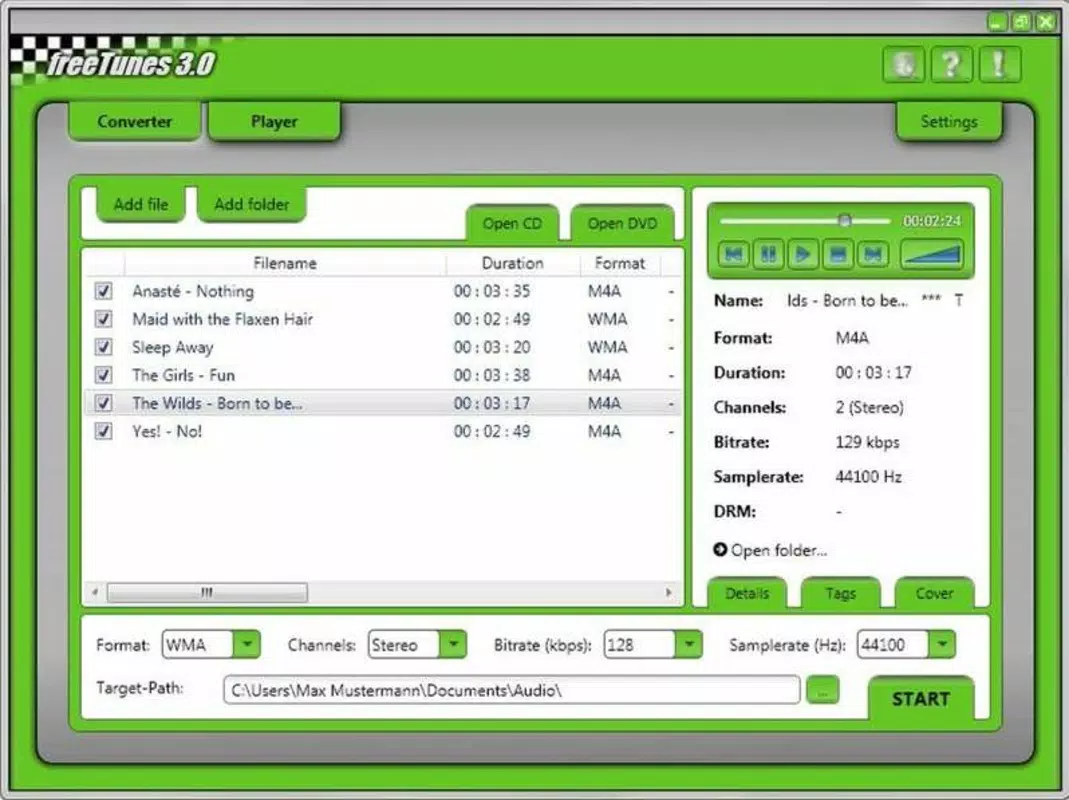
- Customizable Conversion Settings: Users can adjust audio parameters such as bit rate, sample rate, and audio channels during the conversion process. This level of control enables users to balance file size and audio quality based on their specific needs, whether for portable listening or high-fidelity playback.
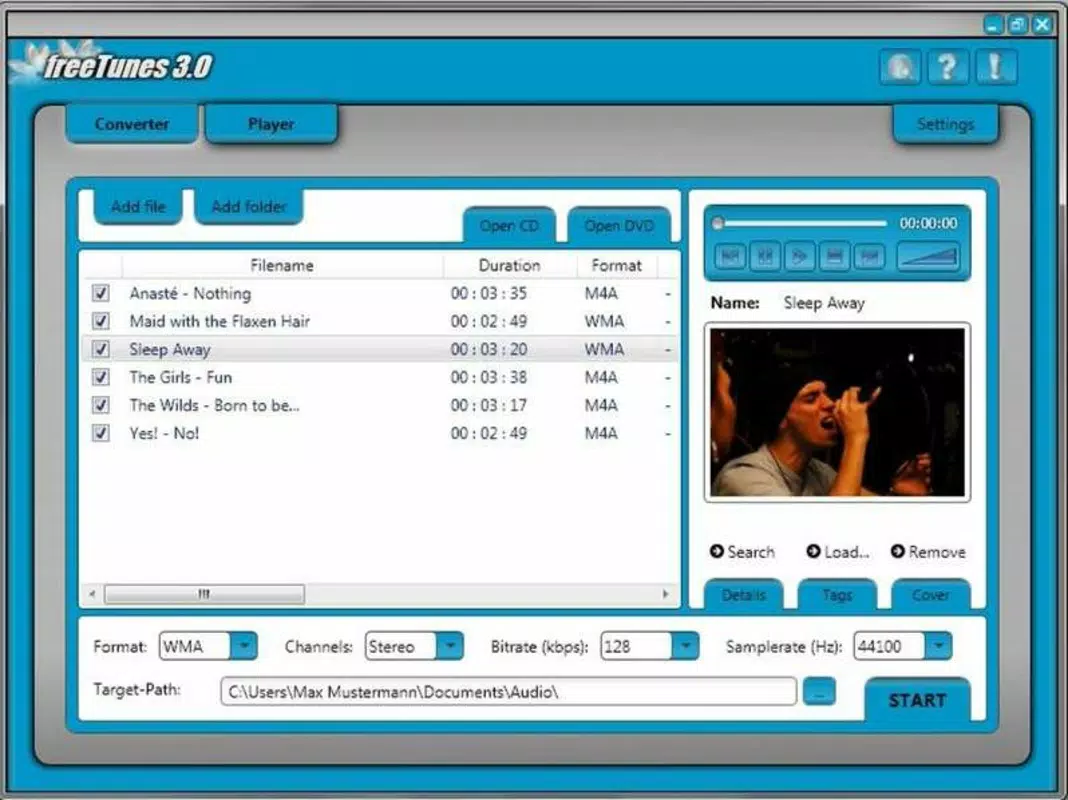
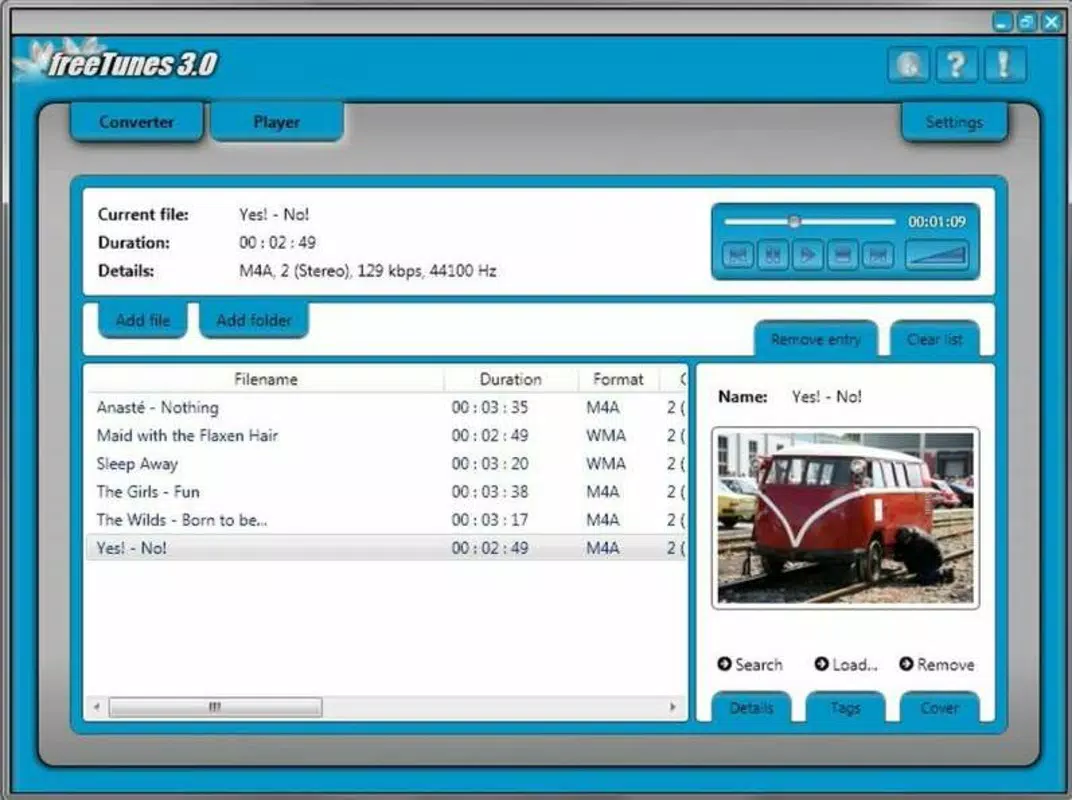
- User-Friendly Interface: The app features a clean, intuitive layout that organizes all essential tools within easy reach. Navigation is straightforward, minimizing the need for technical knowledge, which makes the app accessible to users of all experience levels.
- Above Average Performance: Compared to similar tools, FreeTunes demonstrates consistent reliability during conversion tasks. Users can expect stable operation and minimal errors, contributing to a seamless experience when processing large media libraries.
For example, a user with a collection of old CDs can insert each disc into a connected drive, select the tracks, choose MP3 as the output format, and adjust the bit rate to 192 kbps for a balance between quality and file size. The app will then process the audio and save it directly to the device’s storage, ready for playback.
Interface, UX & Performance
FreeTunes presents a minimalist interface that emphasizes functionality over visual complexity. The layout is organized into clearly labeled sections, with conversion controls, file selection tools, and output settings arranged in a logical sequence. This design promotes ease of use and reduces user frustration during multi-step processes.
Navigating through the app is straightforward, with intuitive buttons and progress indicators that keep users informed during long conversion tasks. The visual style is functional, relying on simple icons and text-based menus to maintain clarity across different screen sizes and resolutions.
Although the developer did not list formal performance metrics, the app is described as offering above-average performance compared to similar tools. This suggests stable operation under typical usage conditions, including handling multiple files and high-bitrate conversions. Users can expect responsive interactions and minimal lag during normal use, even on mid-tier Android devices.
Stability appears to be a strong point, with no reported issues related to crashes or data loss. However, specific performance data across device categories—such as low-end, mid-range, or high-end smartphones—was not disclosed. Compatibility with older or newer Android versions also remains unspecified.
Platform Compatibility & Technical Requirements
FreeTunes is available exclusively on the Android platform. The current version is 1.0, with a file size of 12.5 MB, making it a lightweight application suitable for devices with limited storage space.
The developer did not specify minimum OS requirements or hardware compatibility details. As such, users should verify whether the app is compatible with their device’s Android version before installation. Similarly, no information was provided regarding supported hardware for optical drive connections or external media access.
Given its release date in 2012, the app may require legacy system support or may not fully leverage newer Android features. However, the absence of recent updates suggests it may not be optimized for the latest Android versions. Users should exercise caution and consider the app’s age when evaluating its long-term usability.
Pros and Cons
- Lightweight file size (12.5 MB) ideal for storage-constrained devices
- Supports conversion of both standard and DRM-protected files
- Offers customizable audio settings for quality control
- Includes ringtone creation for iPhone users
- Intuitive interface reduces the learning curve for new users
- Release date indicates the app is over a decade old; may lack modern optimizations
- No official updates since initial release; potential compatibility risks
- Developer did not disclose OS or hardware requirements
- No information on cloud integration or backup features
- Performance on newer Android devices not confirmed
FAQ
Is FreeTunes safe to install on Android devices?
Yes, FreeTunes is available as a free app with no reported malware or security threats. However, users should ensure they download it from trusted sources to avoid modified or compromised versions.
Can I use FreeTunes to convert DVDs to MP4?
Yes, the app supports video ripping from DVDs, allowing users to convert their video content into digital MP4 format for playback on mobile devices.
Does FreeTunes require an external optical drive?
Yes, the app relies on an external or connected optical drive to read CDs and DVDs. It cannot access media directly from the device’s internal storage.
Is FreeTunes compatible with the latest Android versions?
The developer did not specify compatibility with current Android versions. Due to its release date in 2012, it may not function properly on newer systems without additional compatibility layers.
Can I create ringtones for Android devices using FreeTunes?
Currently, the app only supports M4R file creation for iPhones. There is no documented support for Android ringtone formats like MP3 or OGG.
Final Thoughts
FreeTunes remains a functional tool for users seeking to digitize their physical media collections, particularly those with older CDs and DVDs. Its ability to handle both audio and video conversion, along with customizable settings and ringtone creation, provides tangible value for individuals focused on media preservation and personalization.
While the app’s age raises concerns about compatibility and modern feature support, its lightweight design and straightforward interface continue to offer a viable option for basic digital conversion tasks. For users with legacy media and a need for a simple, no-cost solution, FreeTunes delivers consistent performance.
Despite the lack of updates, its core functionality remains intact. Download FreeTunes now to begin converting your physical media into digital formats today.


